
Up and running in 5 minutes
Four steps. No technical knowledge. No credit card.
Create your account and choose your @name
Register with your email in less than 2 minutes. Choose your username — this will be your URL on Travifo. Something like @mariagarciaviajes or @nomadadigital. Your public page is ready instantly at travifo.com/@yourname. You also get a short link: travi.fo/yourname.
Add your trips
From your dashboard, create your first trip: upload photos, write the description, set dates (you can add multiple dates for the same destination — March, June, October), add price and availability. Your page updates in real time.
Already have your trip published on your website? PRO users can import data automatically with AI.
Share your link and receive leads
Share travi.fo/yourname on your social media, WhatsApp, your website or newsletter. When someone is interested, they fill out the form on your page — you get an instant email notification. From the dashboard, manage each lead: change status, add notes, export to CSV or convert to confirmed participant (PRO).
Manage participants without chaos
When you confirm someone, they automatically get their personal link. No sign-up needed. They upload their passport, insurance, whatever you require. You see each participant's status on the dashboard and approve with one click. No WhatsApp, no Drive, no Excel.
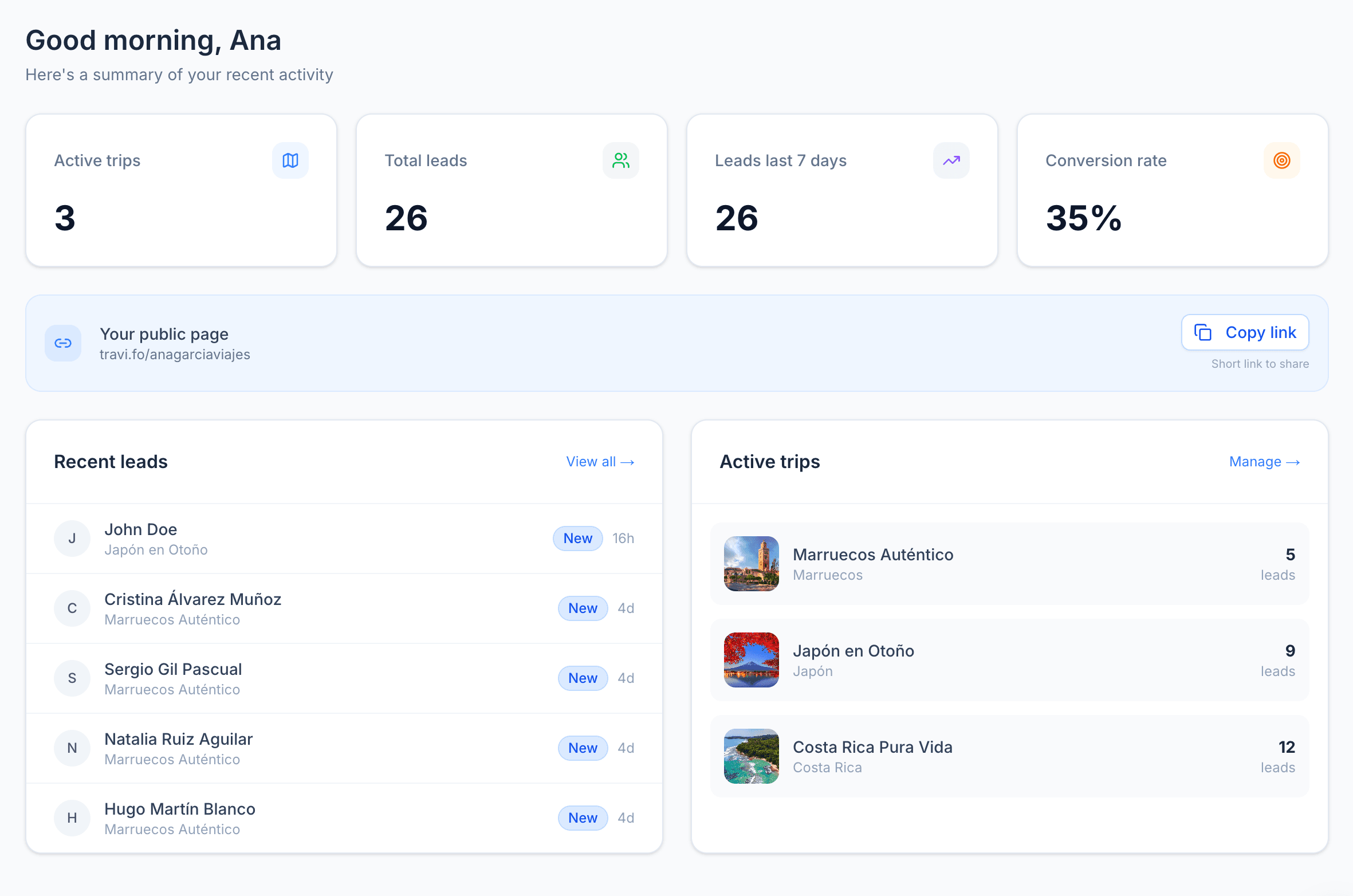
Your control panel, always up to date
From the first interested person to the confirmed group: active trips, leads, conversions — all at a glance.
Quick FAQ
Do I need a website?
No. Travifo gives you a complete public page. If you already have a website, you can add the Travifo widget to it.
When do I need PRO?
The free plan is enough to start capturing leads. You'll want PRO when you need to manage participant documents, payments and status.
Is it compatible with WordPress?
Yes. The embeddable widget (PRO) lets you add the 'I'm interested' form to any WordPress, Squarespace or custom website.